Get Started
Welcome to the API documentation! This guide will help you get started with the API by providing steps to obtain an access token and identify the base URL for making API requests.
Step 1: Base URL
The base URL is essential for constructing API requests. You can determine your base URL as follows:
- Base URL: Use your store’s URL and suffix it with
/open-api/api/.
Example
If your store's URL is https://mystore.com, then your API base URL would be:
https://mystore.com/open-api/api/
Step 2: Access Token
To interact with the API, you need a valid access token for authentication. Follow these steps to obtain an access token:
Log into the Admin Portal:
- Ensure you are signed up and logged into the Admin Portal.
Navigate to Settings:
- Go to the
Settingspage from your admin dashboard.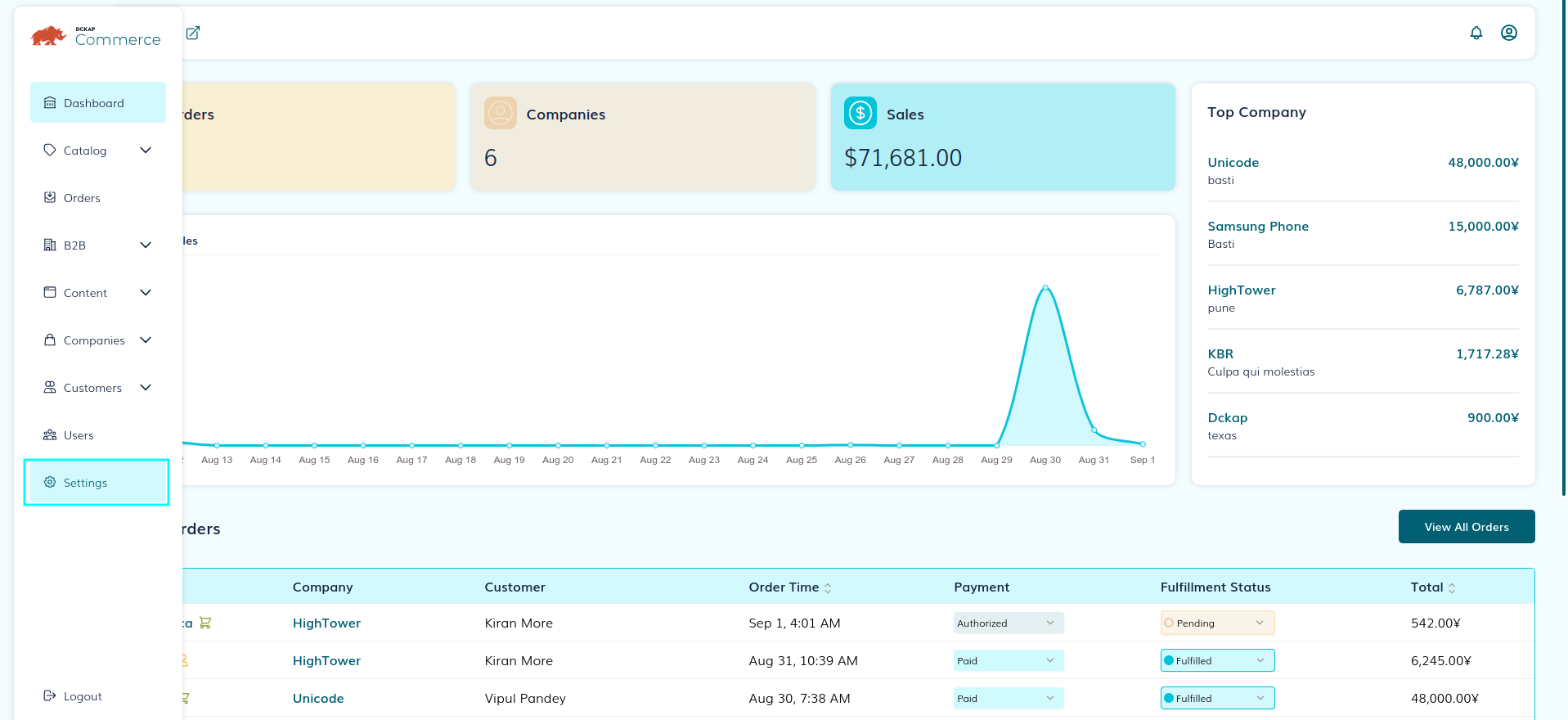
- Go to the
Access API Accounts:
- On the left, under the
Generaltab, click onAPI Accounts.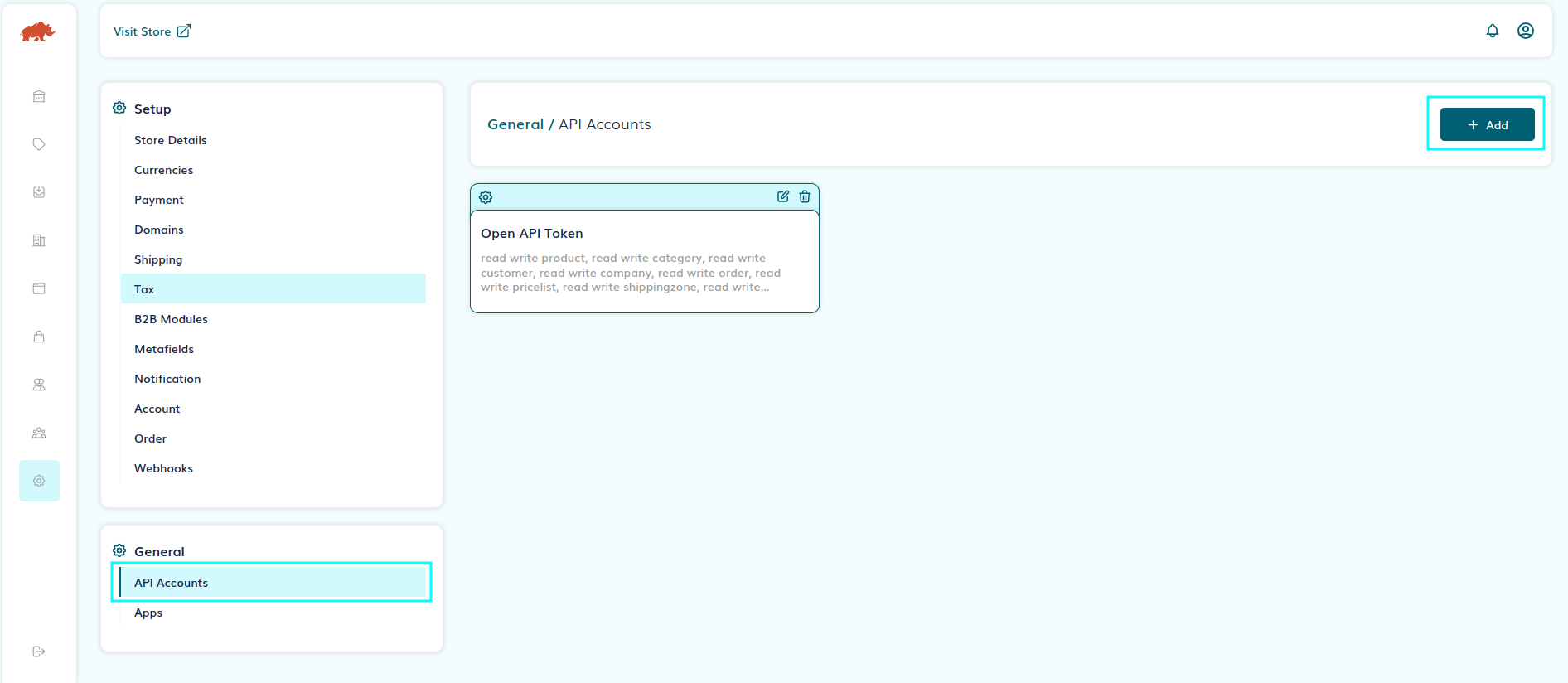
- On the left, under the
Create New API Account:
- Click on the
Addbutton to initiate a new API account setup.
- Click on the
Define Scopes:
- Select the appropriate scopes your application requires. Ensure to choose only the necessary permissions to maintain security.
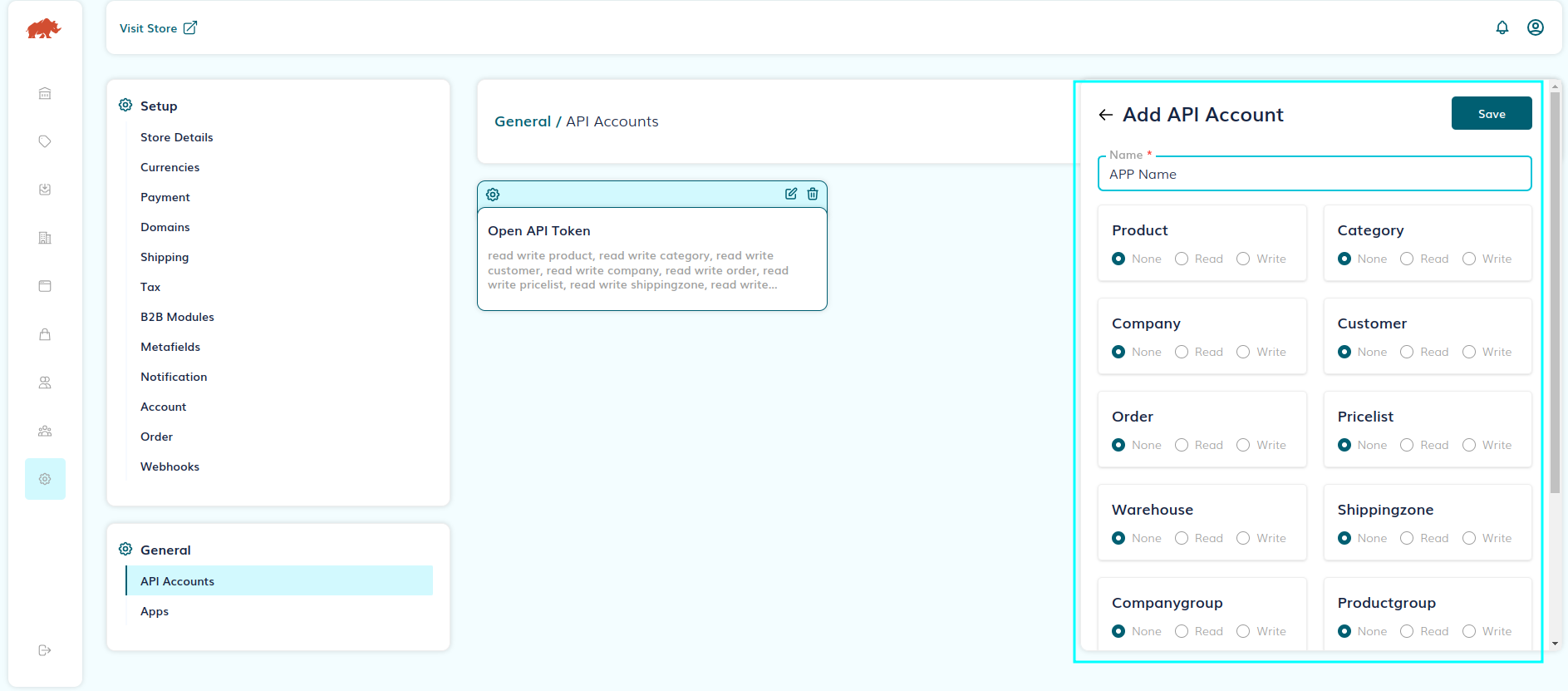
- Select the appropriate scopes your application requires. Ensure to choose only the necessary permissions to maintain security.
Submit and Retrieve Your Credentials:
Click
Submitafter selecting scopes. A set of credentials will be generated:- Client ID
- Client Secret
- Access Token
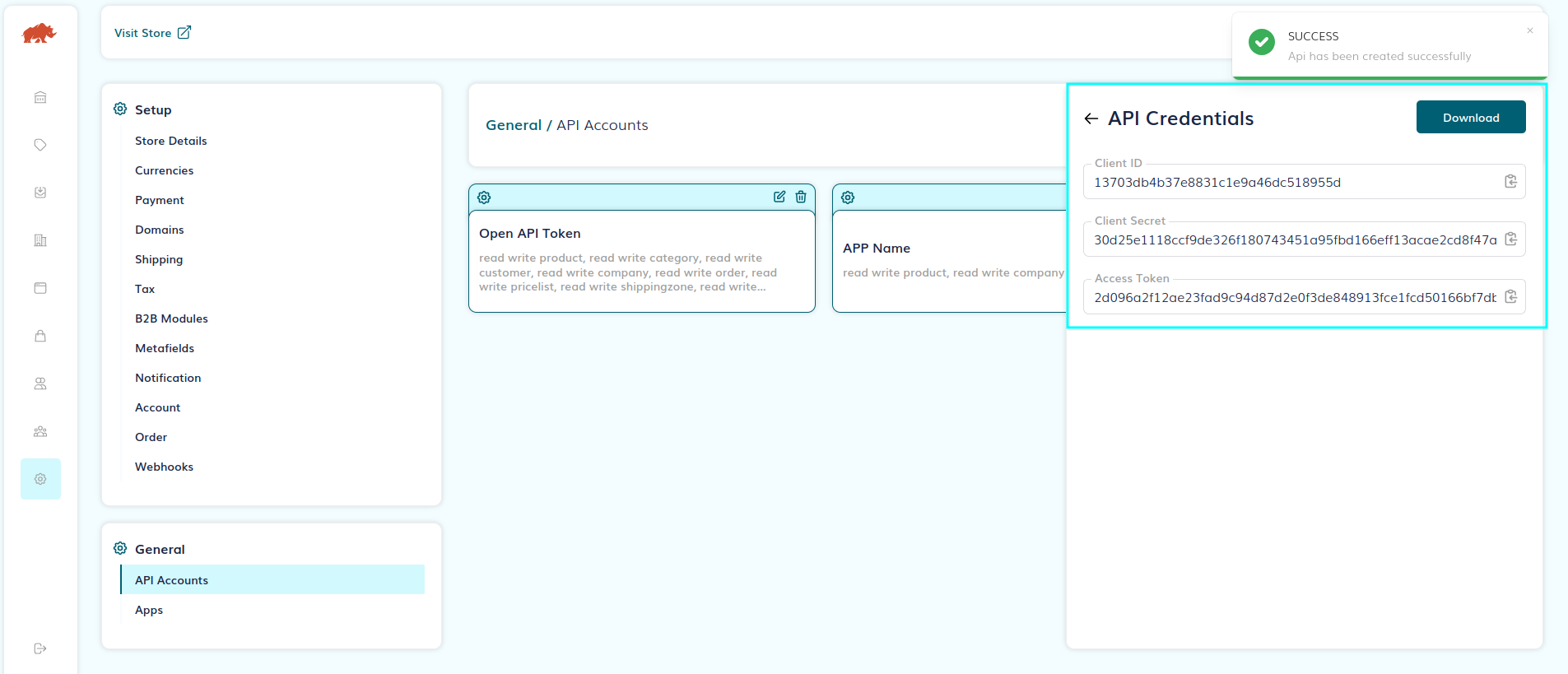
Important: Save these credentials in a secure place as you won't be able to retrieve them later.
Example: Making Your First API Call
With your access token and base URL, you can start making API requests. Here’s a simple example:
Sample API Call
To retrieve all assets using the API:
curl --location 'https://mystore.com/open-api/api/asset/all' \
--header 'accessToken: <YOUR_ACCESS_TOKEN>'
Explanation
- Replace
<YOUR_ACCESS_TOKEN>with the access token you obtained in Step 2. - Make sure your API calls include this access token in the request headers to authenticate.
Additional Resources
- Support: If you encounter issues, refer to the support resources provided on the Developer Portal or contact the support team.
By following these steps, you are now ready to start integrating and interacting with the API effectively. Happy coding!